STRAIGHT TALKING.
No fluffing, No frills. Want to know how to do something? Find it here
Under the hood - What is Crescendo? Its made into 3 main sections
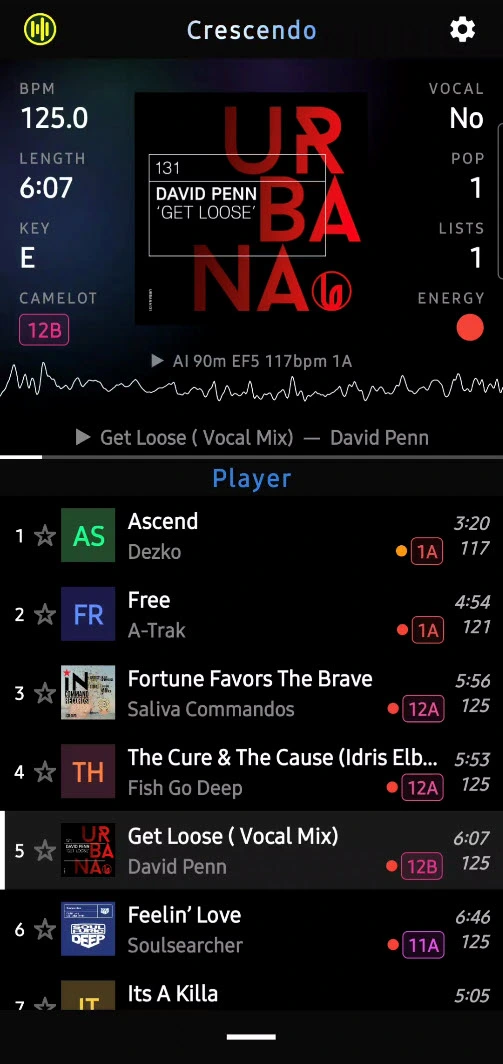
PLAYER
For listening to any playlist you have created. Headphones, in the car, hooked up to your DJ gear. It doesnt matter how you listen, the Player is your dj music default
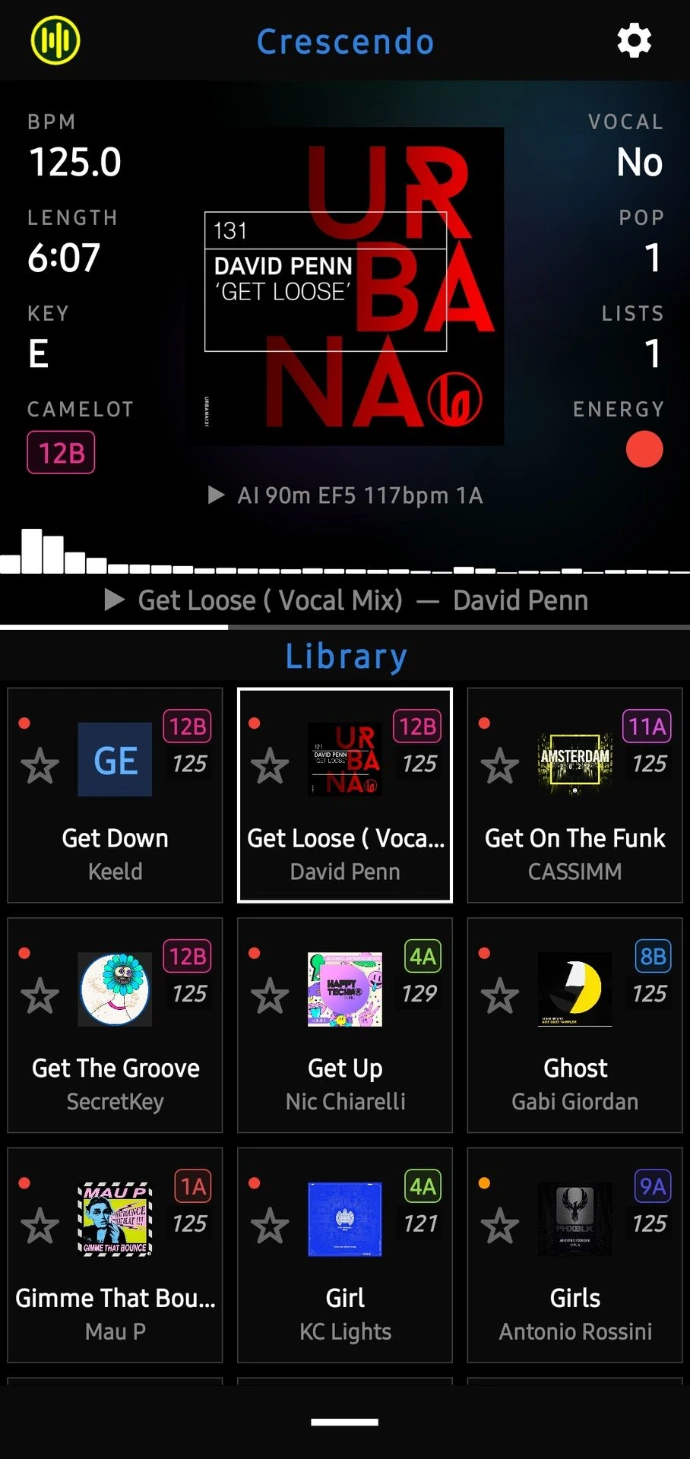
LIBRARY
Come here to search & review your tracks that you want use in your set. Search, scroll, swipe right to add, You can quickly create & update your playlists from here
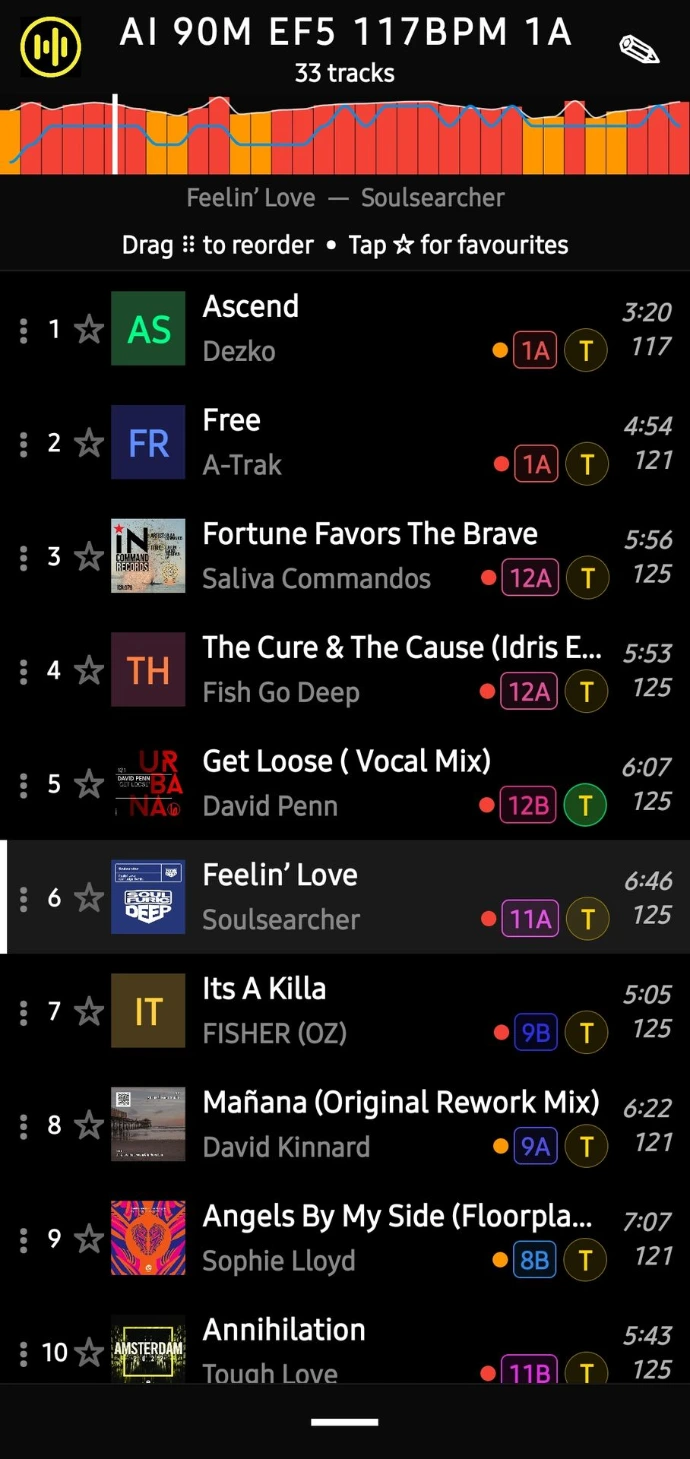
PLAYLIST
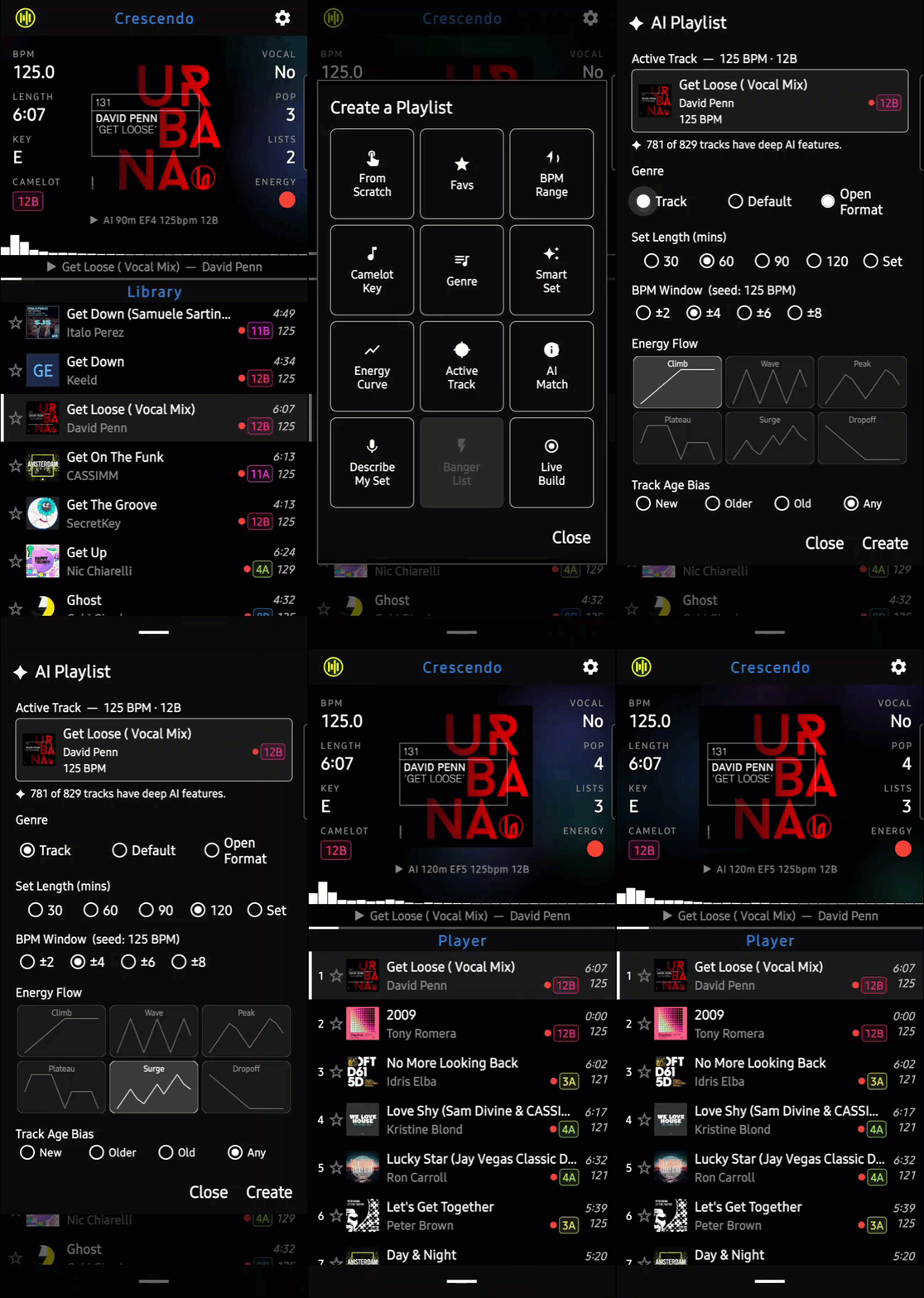
The magic. An extensive set of builder tools available to cover a wide range if playlist creativity. AI, Camelot key, Genre, Mixed, many ways to create a good, well structured playlist. All you need is a single track to start.
CREATE A PLAYLIST
In about 10 seconds
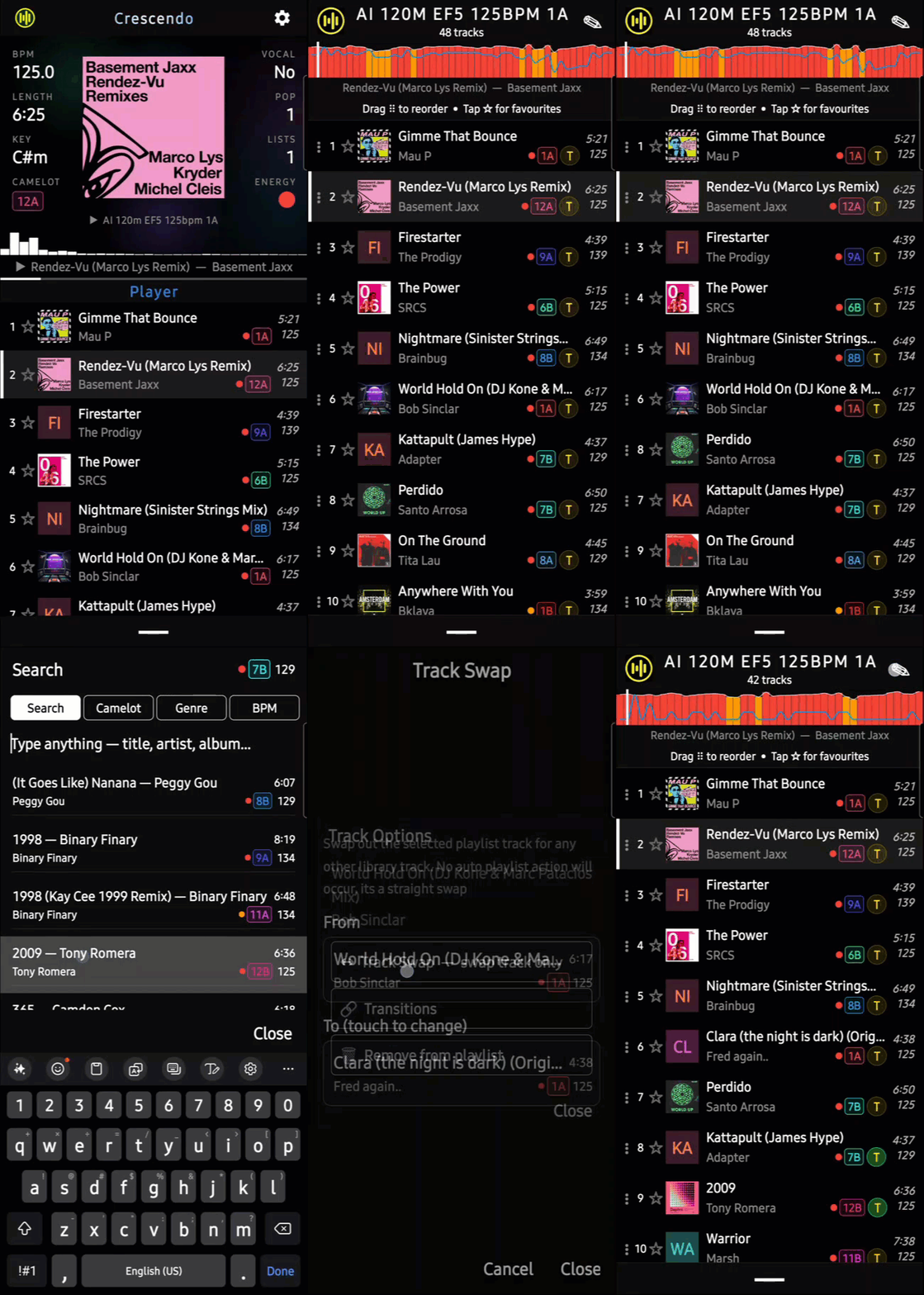
EDIT PLAYLIST
Swap, Add Transitions, Move
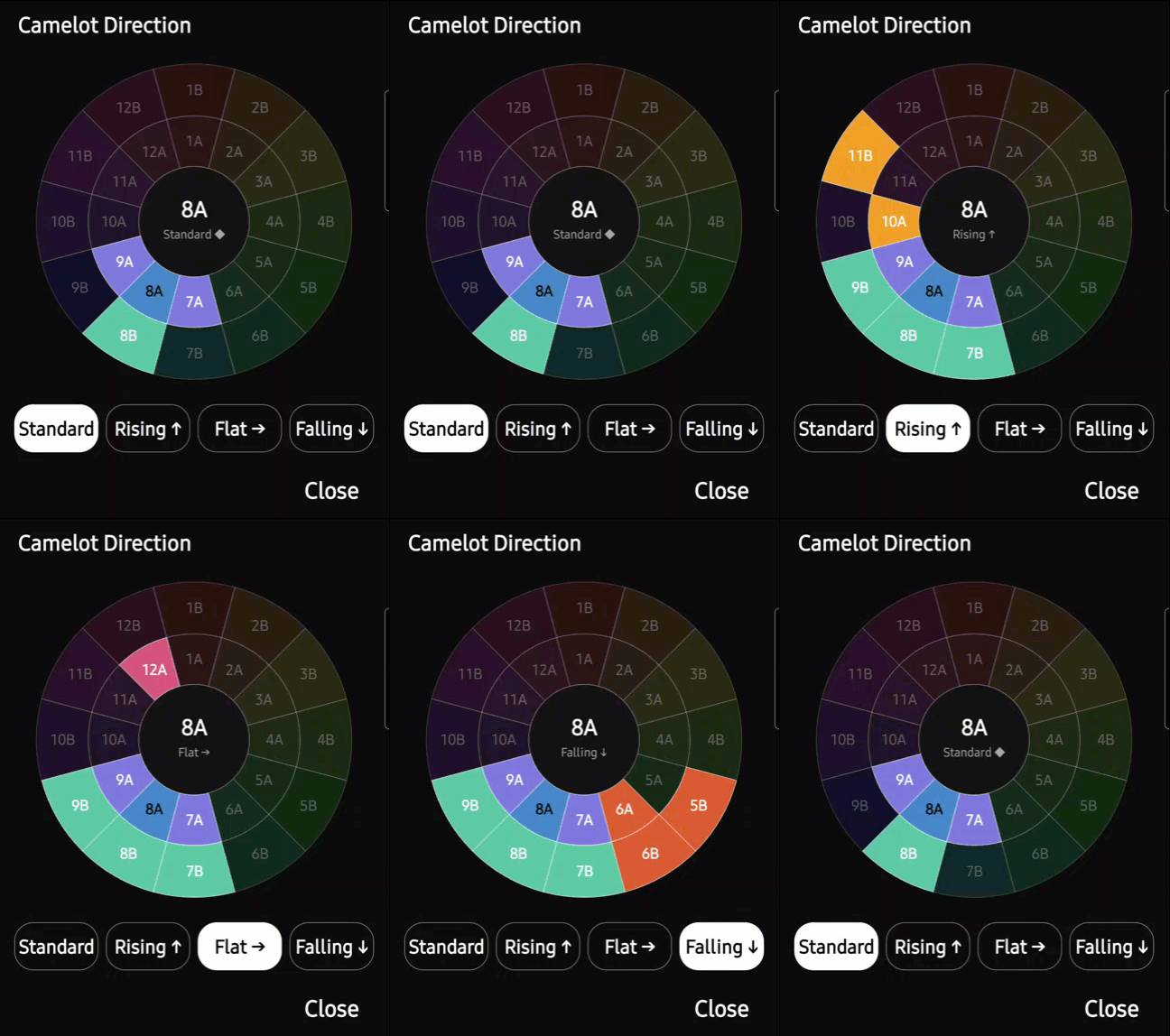
CAMELOT KEY CHANGE
Easily change how your playlists are curved by setting a direction for your builders to follow. Dont worry though, you can override this is some of the advanced builders
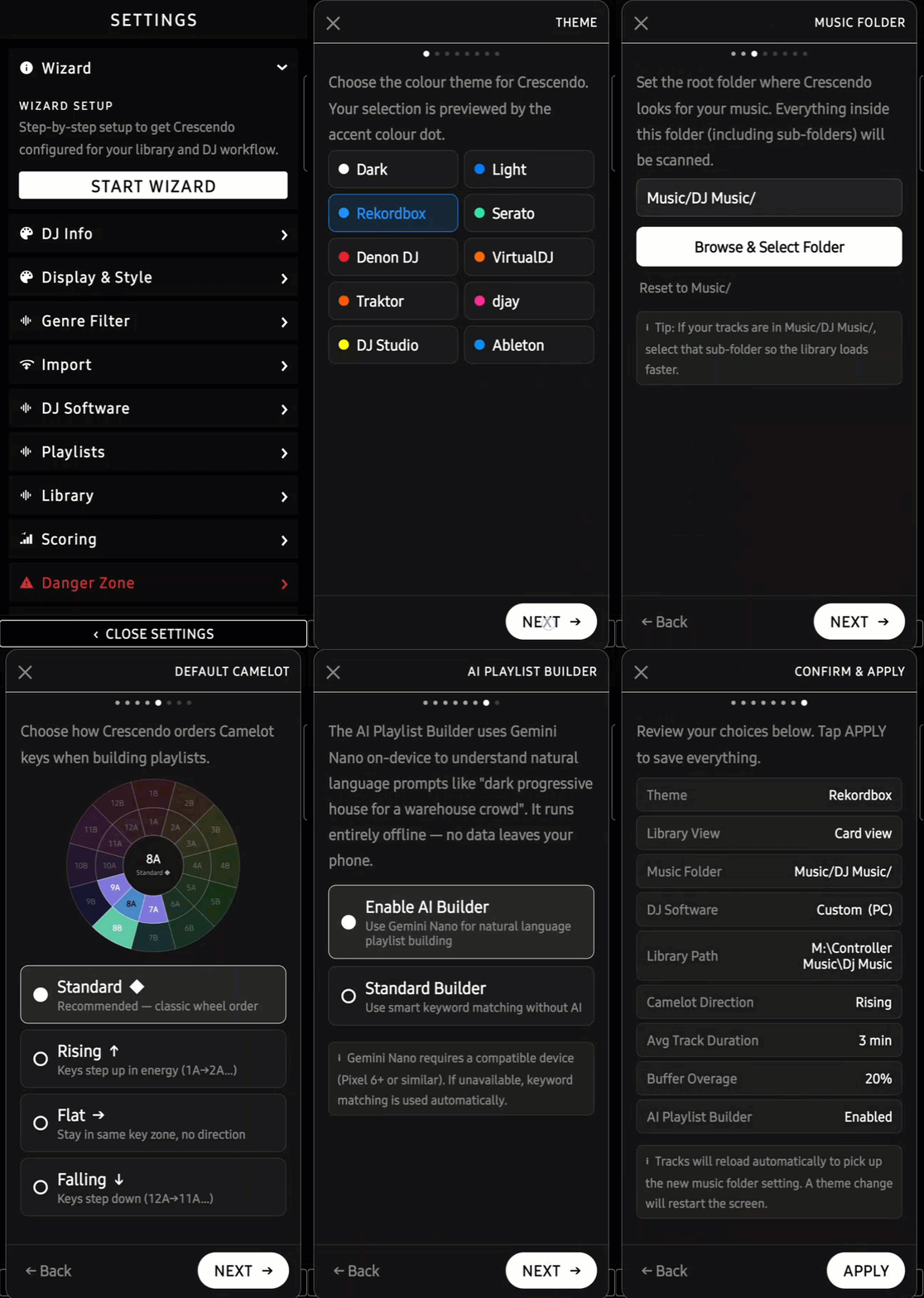
LIBRARY SETUP
Align your device library with your DJ software library to allow playlist imports that work every time.
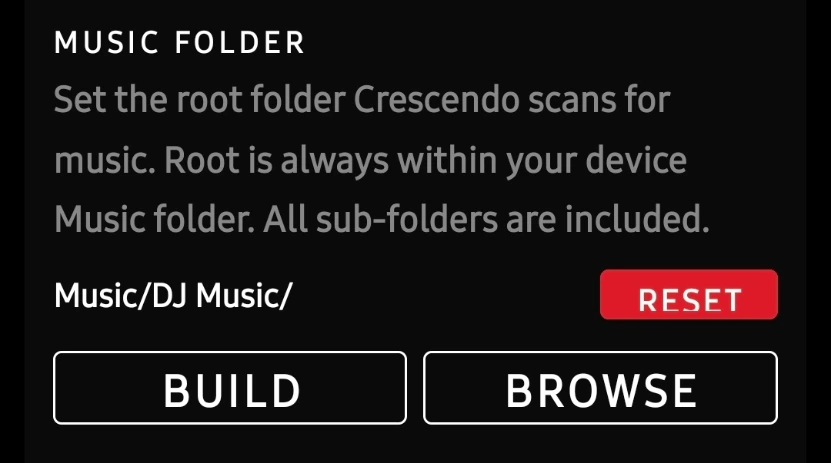
- in settings / Import / Music Folder, set your root music folder. Typically this will inside the 'Music' folder. Here you can see i have selected Music/DJ Music/. All of my DJ music is in here, anything in the Music folder will be ignored.
2. In settings / DJ Software / Library Path, match your path to your dj software library. Select the default for your dj software or set a custom path. IMPORTANT: The root folder of this path MUST MATCH the root folder in the Import settings in step 1. DJ Music = DJ Music.
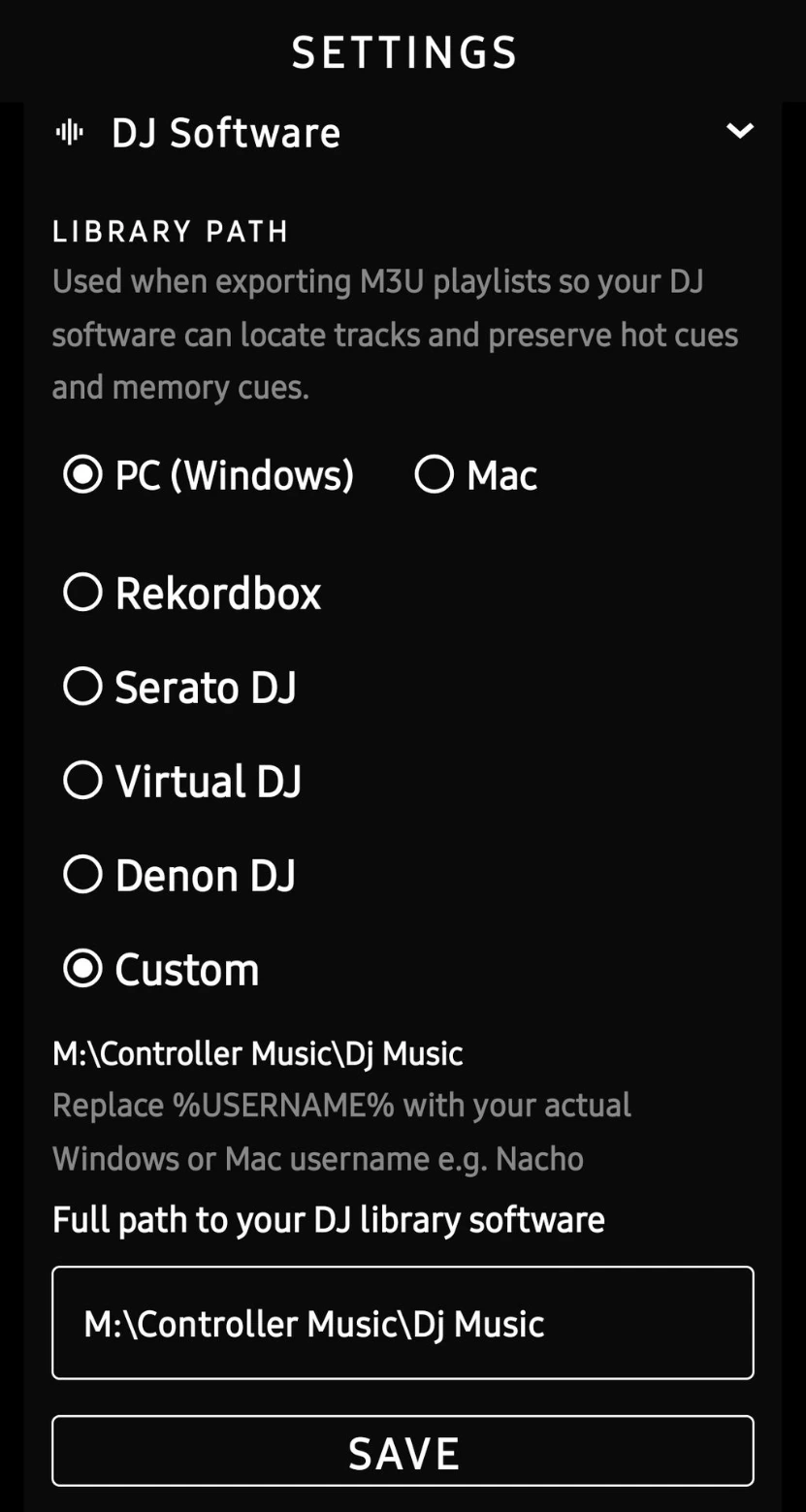
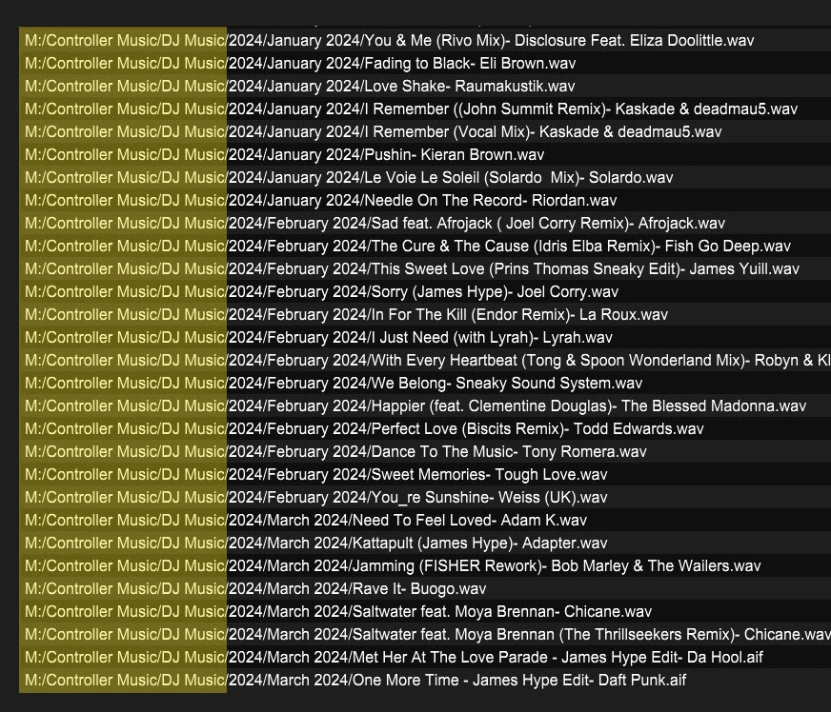
If you are unsure what this path may be, look at the common path in your library track list paths. The part matches in every track list will be the root.
IMPORT & ANALYSIS
You need music, lets get that done